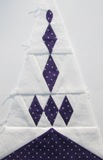
If you want to be a member of Janiac's Unite blog to post pictures of your Dear Jane blocks then please contact me (Vicki) in the Contact Us Page.
Showing posts with label C-3. Show all posts

Monday, July 2, 2012

Dear Jane in Norway

Hi!  My daughter Marit and I just started a Mother-and-daughter DJ Quilt-along.  We will take turn to choose 10 blocks at a time, and we are aiming at 2 blocks per week.  Hers will be light grey, blue and purple, while mine will be white and red. 

Hopefully, we will be tagging along with all of you other Janiac's out there, seeking advice and support when needed :-)  As of now, we can enjoy sewing outdoors surrounded by the beautiful scenery at the northwestern coast of Norway!  The link to my blog is here.


B-2


B-3


C-3


C-12


J-6


M-12

Monday, April 30, 2012

Some more blocks....on a roll!

I am loving these blocks! I can't believe I have done this many for April!... I have now done 5 blocks for April...so nearly up to my goal of doing one a month. By this I mean its 6 months since I did my last block last year and this month I have done 5. I hope to keep going and the next block is a tricky one. I am doing the blocks by the Central Rows so the next one is C-4 :) I am also trying to do the fabrics similar to Jane's in her quilt as I want the quilt to look very similar to hers....I just love it!

B-13

C-1

C-2

C-3
Thanks for stopping by...
hugs

Friday, April 6, 2012

My first post!

This is my first post here :)  I just started my Dear Jane journey this year.  I'm using Deb Strains "Coming Home" fabric line for the whole thing.  Well at least that's how I'm starting out, who knows how I'll finish!!

Here's my first 9 blocks.  I do paper piecing when I can, I love paper piecing.  I don't think I'll ever have this many blocks to show at once again :)

A-4, B-13, A-6, C-1
A-8, B-4, C-3
A-1, A-2
I hope to get a couple more done this weekend.  So far so good :)

Sunday, November 20, 2011

Two more..............

C-4

C-3

I have been rather busy this last week, and sewing has been put on hold, however I have completed 2 blocks that I didn't get round to posting - here they are...

Tuesday, November 8, 2011

Jumping In!

Hi!  I'm finally getting a chance to jump in here and show some of the blocks that I have completed.  I have twelve blocks done so far (this one is A-2), and I'm excited to be joining in and making blocks along with this group!

 A-1

 C-3

 L-13

A-5

I'm making mine with all scrappy backgrounds.  Now I'm starting to think of a sashing color that will go well, I'm kind of on a little hunt.  I have no idea what direction I'm going to go with my sashing, but I'll know the right fabric when I see it :)

Enjoy the day!
~ Dawn

Saturday, November 5, 2011

Some good progress & How I Make My Chart

Since my last posting I have finished these Baby Janes, which brings me oh-so-close to being caught up with the monthly fabric deliveries!

TR4
TR5
TR6

TR7
B5
B8
C3
 So now it's this far along!


~*~*~*~

P.S.  Here is how I do my quilt chart. I'm not convinced that it's the easiest way, but it's the only way I've figured out so far. 

I have the Dear Jane software. When I load the photos into my computer, I open them with the Microsoft Office Picture Manager. I crop them and then resize and rename them. The sizes and names are critical to work properly with the DJ software. 

Baby Janes = 40x40 pixels; names in the pattern mya3
Triangles = 40x60 for verticals, 60x40 for sides; names in the pattern tr3
Corners get 60x60; dunno the names yet, haven't got that far  ;D

Next, these files get moved into the right file in the program on my computer. 
The pathway is Computer > C > Program Files > Electric Quilt Company > Dear Jane > Pics > MyChart

Now start up the Dear Jane program. Click on "My Jane Journey," then "My Block Chart." The chart will pop up in a new window.

Now do a screen capture. Hold down the Fn key and push the Prt Sc key (on my keyboard above the delete key).

Open the Paint program, and click on paste. The screen shot will come up in Paint. Click on "Select" and then click on the corner of the chart. Drag with the mouse to outline the chart in the dotted line square you can make. Then click "Crop" back up at the top.  Save your quilt image and go put it on the Janiacs Unite blog.  :D